Press
Everything you need to write about Sorted, and a free key to try it properly.
In one line
Sorted puts the IMDb rating on every title on Netflix and Prime Video, and picks something good when you can’t choose.
In 50 words
Sorted is a browser extension for Netflix and Prime Video. It puts the IMDb rating on every title, fades the ones below a rating you choose, and picks something good with one key. It also opens 184 Netflix categories the menus never show. Free for 7 days, then one payment.
In 150 words
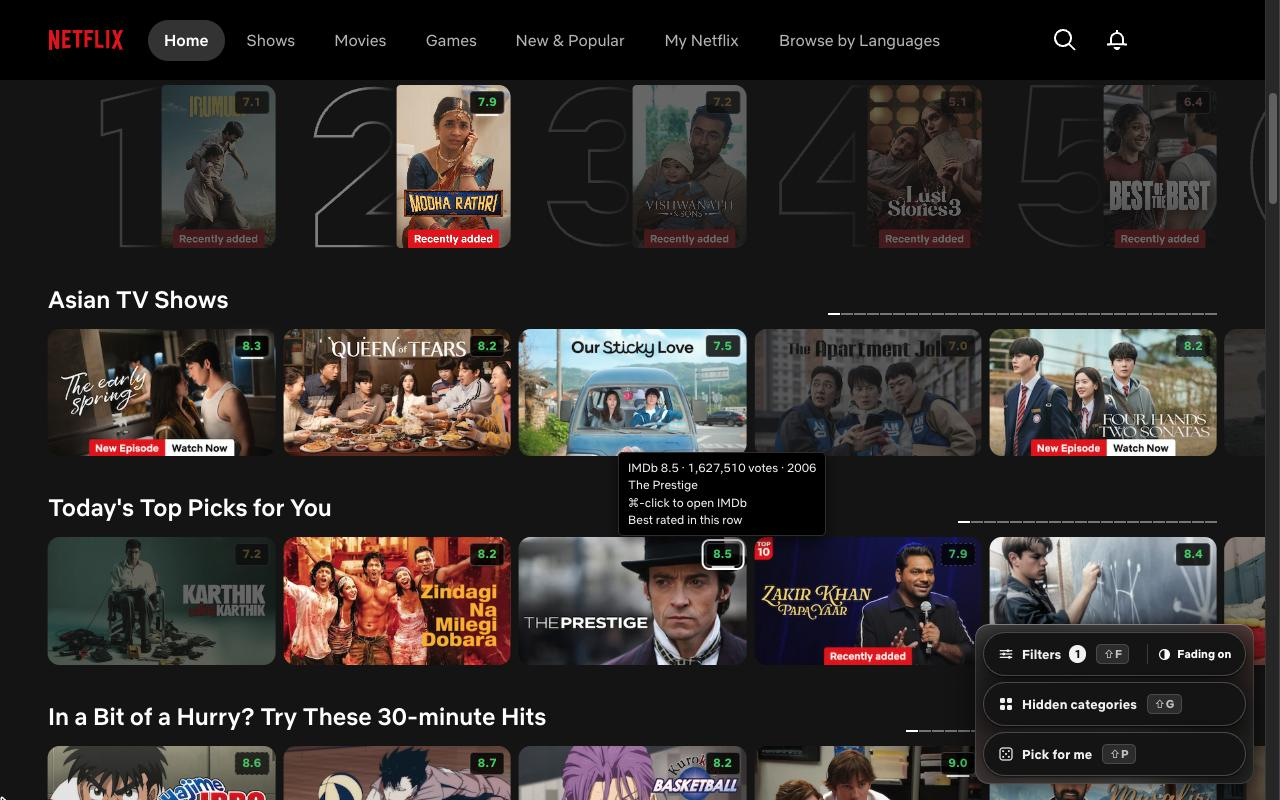
Choosing what to watch can take longer than the film. Sorted is a browser extension for Netflix and Prime Video that cuts it short. It puts the IMDb rating on every title card, so a row of posters becomes a row of numbers. Set a lowest rating and every title below it fades back. Still stuck? Press Shift + P and Sorted picks one for you, weighted by how many people voted, so a 9.2 from 400 votes doesn’t beat an 8.4 from 800,000.
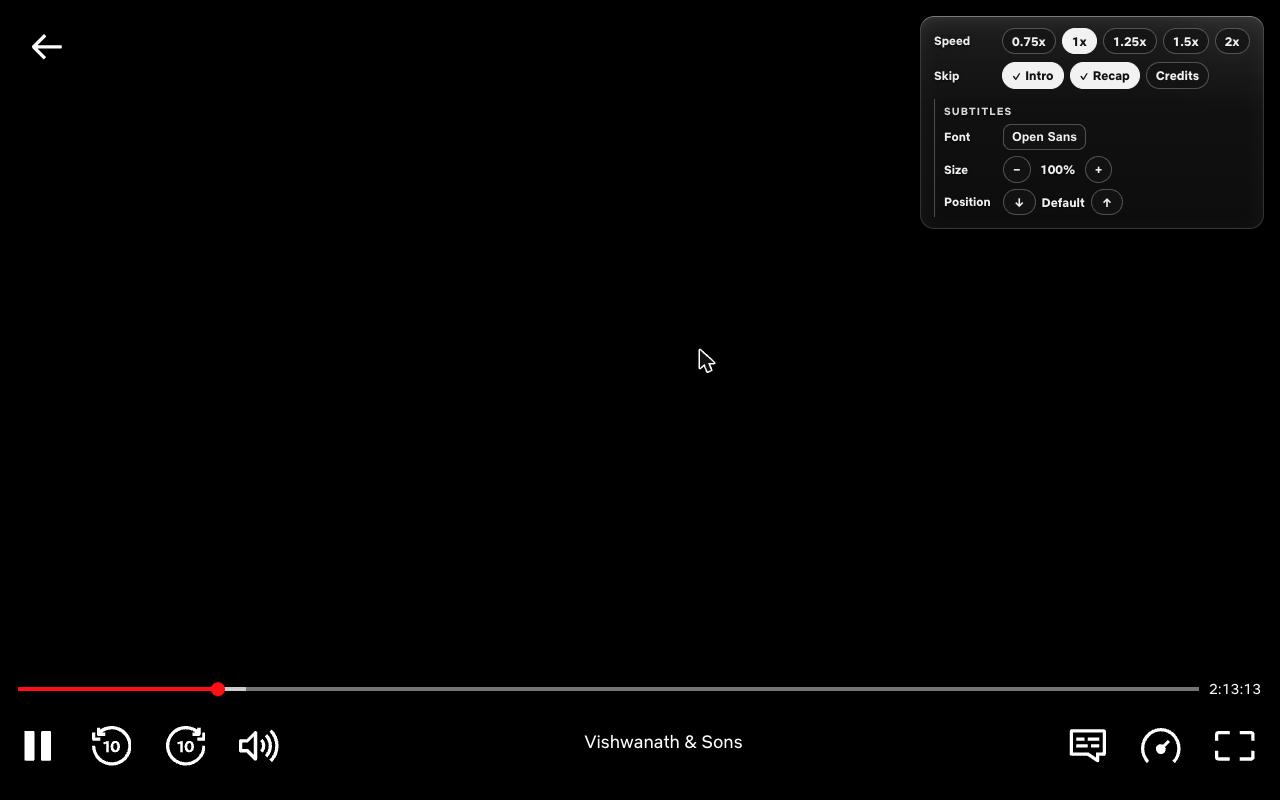
On Netflix, Shift + G opens 184 categories the menus never show, from Korean TV shows to stand-up comedy, and in Netflix’s player Sorted skips intros and puts speed and subtitles one click away.
Sorted has no account and no server. Your settings and ratings stay in your browser. It is free for 7 days, then one payment, with no subscription.
The facts
- What it is. A browser extension for Netflix and Prime Video on a computer. It runs in Chrome, Edge, Brave, Opera and Vivaldi
- Ratings, measured. On 430 real titles from a live Netflix homepage in India, heavy in Korean drama, Tamil and Telugu cinema, and anime, 425 matched an IMDb rating: 98.8%. The same 430 titles through a commercial ratings API got 86%. The difference was titles listed under a different name, like “Laapataa Ladies”, which IMDb calls “Lost Ladies”
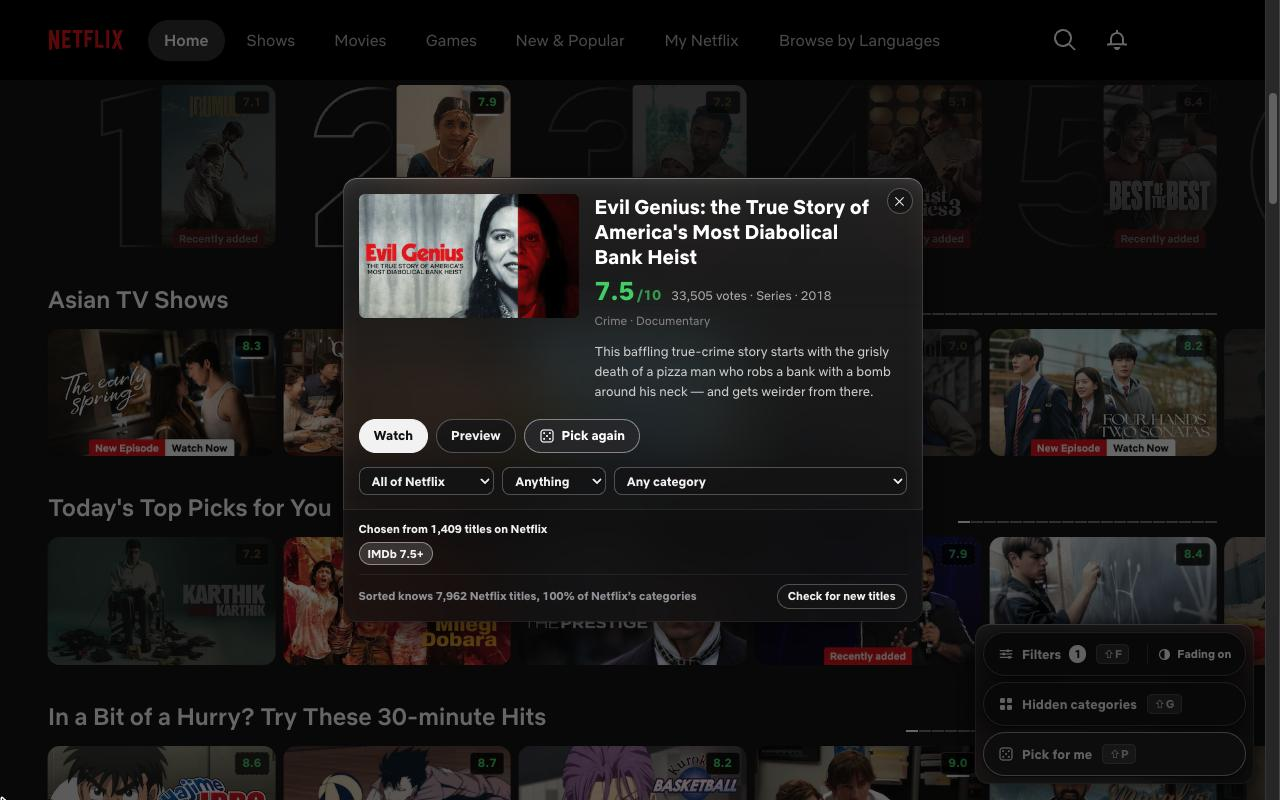
- The picker. Shift P picks one title from those above the rating you set, weighted by votes. It is not a recommender and doesn’t try to learn your taste
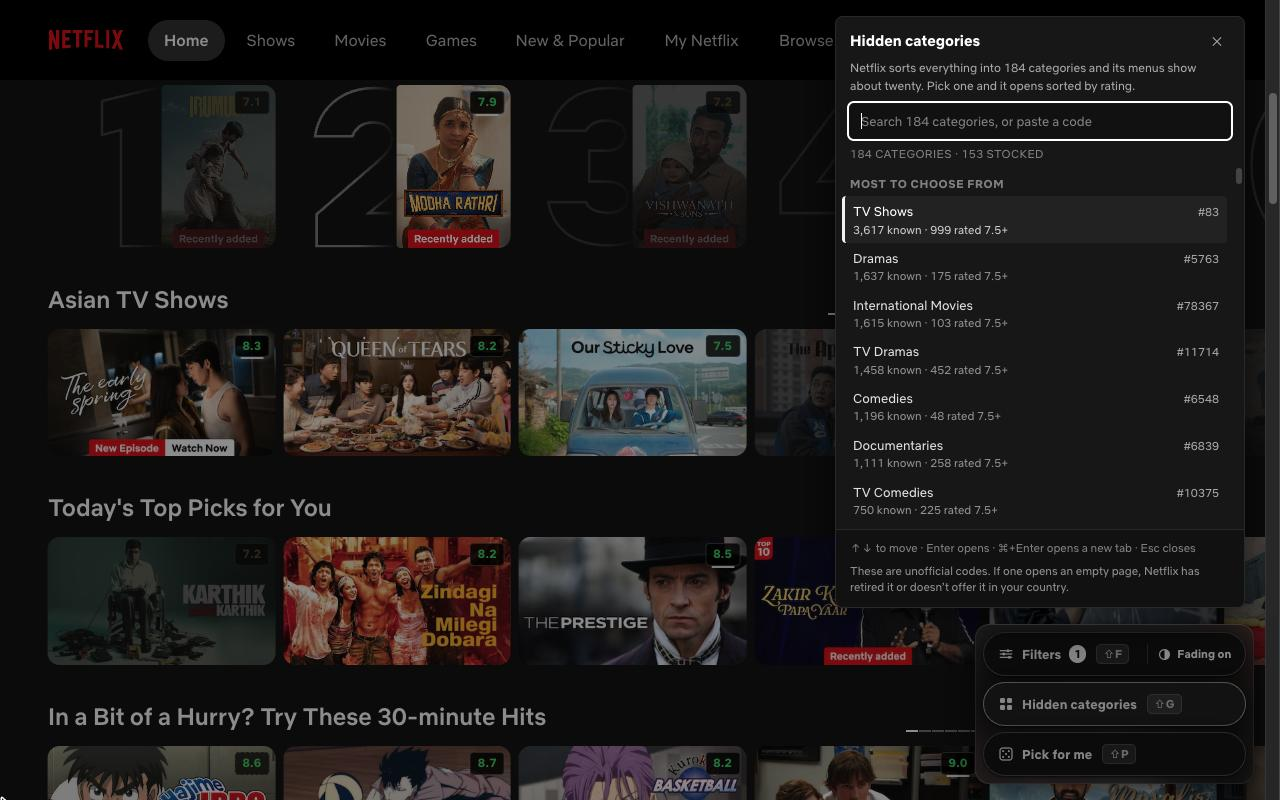
- Hidden categories. Shift G opens 184 Netflix categories that the menus never show, and Prime Video’s own categories too. The Netflix list is on the Netflix codes page
- Where it works. Everything on Netflix. On Prime Video: the ratings, filters, the picker and categories. Disney+ is coming soon, as a free update
- In the Netflix player. Skips intros, recaps and credits. Speed from 0.75× to 2×. Bigger, clearer subtitles
- Privacy. No account, no tracking, no server of its own. Settings and ratings stay in the browser. When a title’s name differs between the streaming service and IMDb, that name, and nothing else, is looked up with IMDb. The privacy page has the details
- Price. Free for 7 days with no card. Then one payment: $19 at launch, rising to $24 and then $29. No subscription. A full refund within 14 days
- Made by. Hariprasath, an independent developer in India
How to refer to it
“Sorted, a browser extension for Netflix and Prime Video.” Please don’t call it “Sorted for Netflix”: it isn’t made by or with Netflix.
Screenshots and logo
Each image opens the full-size PNG, 1280 by 800. Title artwork belongs to its owners and is shown only to illustrate Sorted in use.
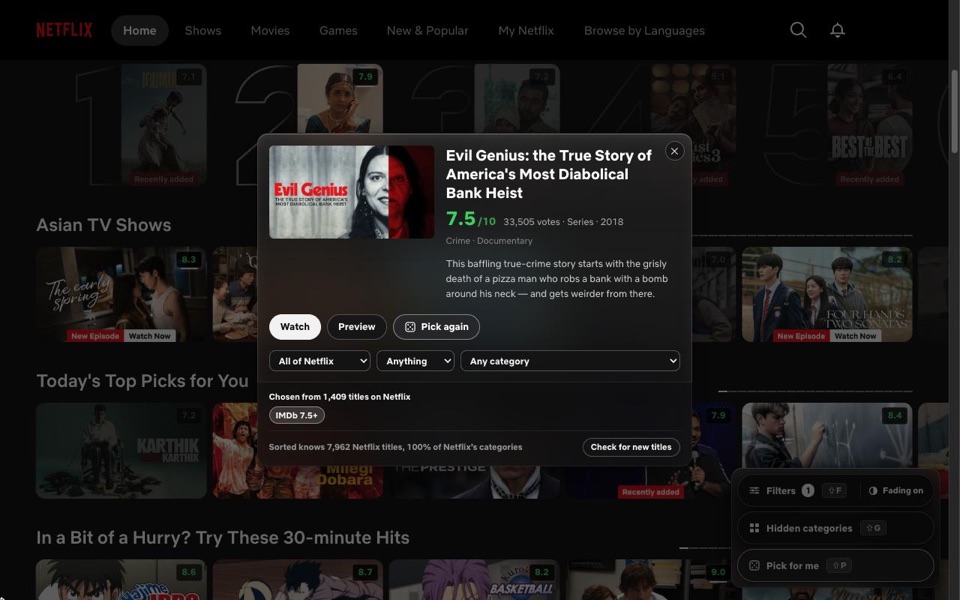
When you still can’t choose, one key chooses, weighted by votes.
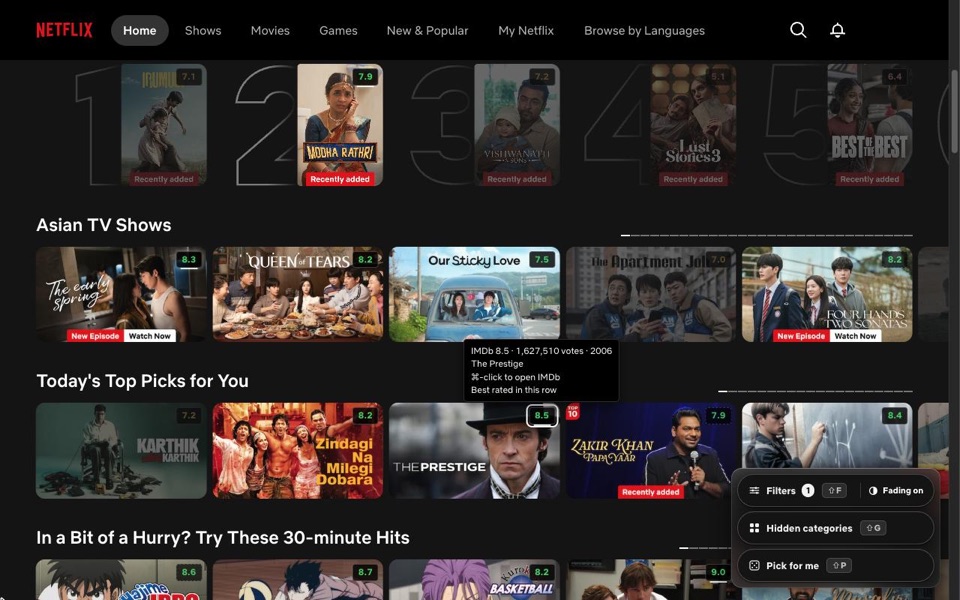
The IMDb rating on every card. Titles below the rating you set fade back.
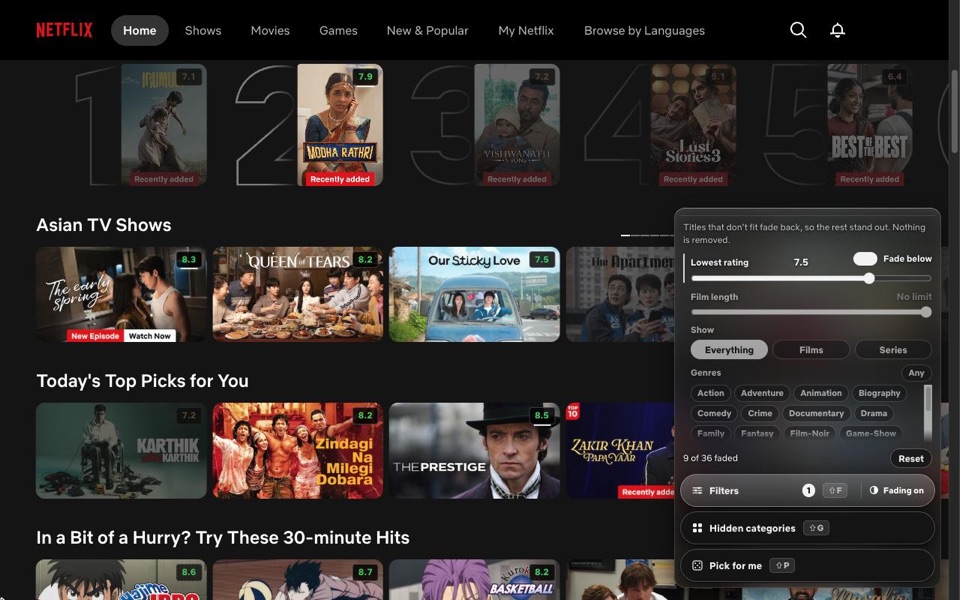
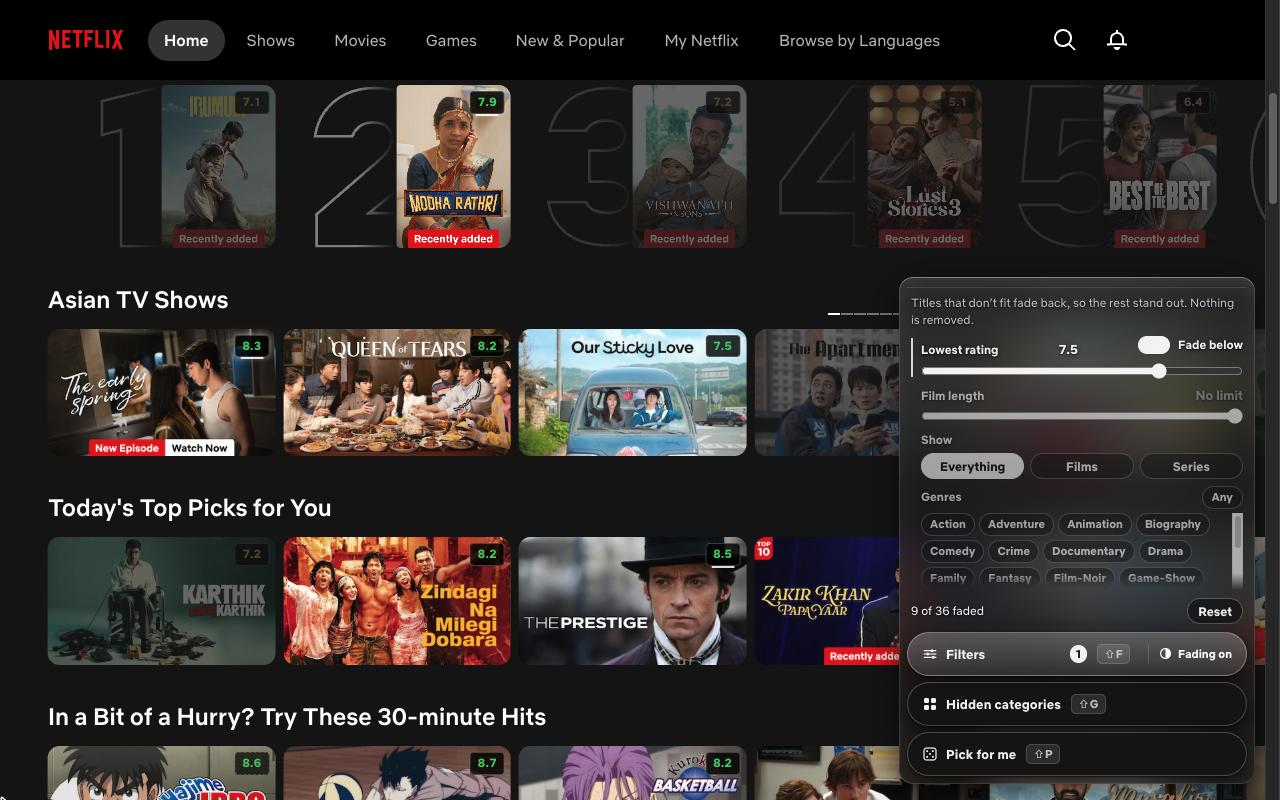
Rating, length, film or series, genre: a homepage becomes a shortlist.
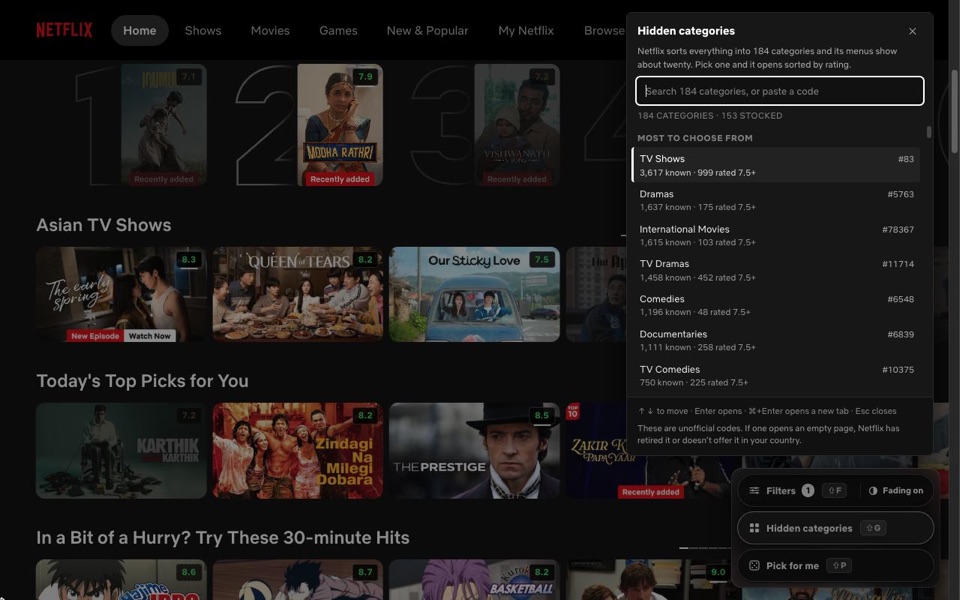
All 184 of Netflix’s numbered categories, one key away.
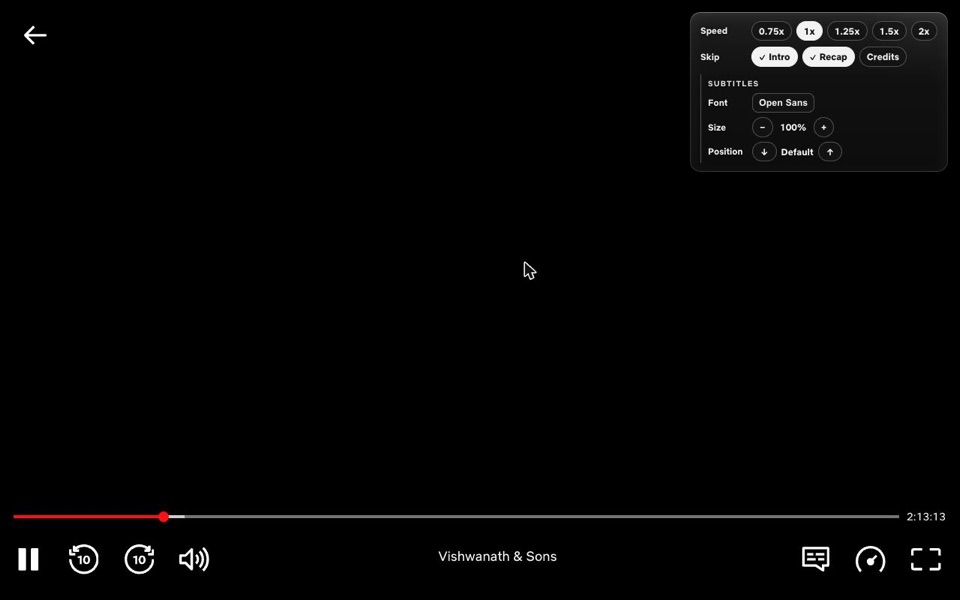
Skip intros, recaps and credits. Speed and subtitles in one place.